Email Notifications
What it is
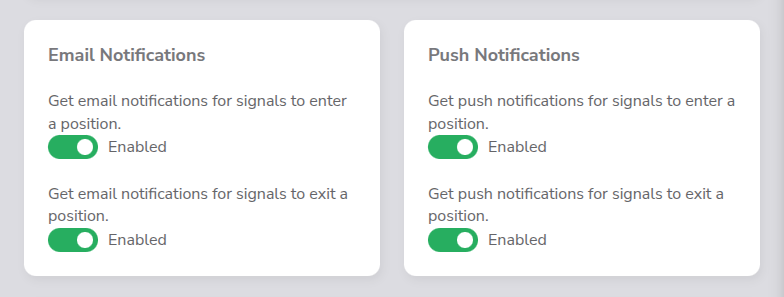
Email notifications let you receive alerts via email when important trading events occur. You can independently toggle notifications for signal events and trade bot events, giving you full control over what lands in your inbox.
Where to find it
Email notification toggles appear in two places:
- Signals page, toggles for signal-related email alerts.
- Settings page, toggles for trade bot-related email alerts.
How it works
Each notification type has its own toggle switch with two states:
- Enabled ∙ you will receive email alerts for that event type.
- Disabled ∙ no emails are sent for that event type.
On the Signals page you will find two toggles:
| Toggle | Description |
|---|---|
| Signal Enter | Sends an email when a strategy generates an ENTER signal |
| Signal Exit | Sends an email when a strategy generates an EXIT signal |
On the Settings page you will find two toggles:
| Toggle | Description |
|---|---|
| Open Position | Sends an email when the trade bot opens a new position |
| Close Position | Sends an email when the trade bot closes a position |
Key details
- Each toggle operates independently, you can enable any combination of the four notification types.
- Email notifications are sent to the email address associated with your account.
- These toggles are separate from push notification toggles, enabling email notifications does not enable push notifications and vice versa.
 API keys encrypted at rest
 Trade-only permissions, no withdrawal access
 Practice risk-free with testnet mode